
Skip to content

Guide · Menu on a TV

Put your menu on a TV in three steps.

You don't need a signage company, a USB stick, or a printed re-lamination budget. Design the board once, hang any TV, and change prices from your phone forever after.

The output you are building

A complete menu board, not a USB slideshow.

Design the hierarchy, connect a player, then change operational content remotely without rebuilding a flattened image for every price edit.
  • Designed for TV viewing distance
  • Complete releases cached before activation
  • Prices and sold-out state editable remotely

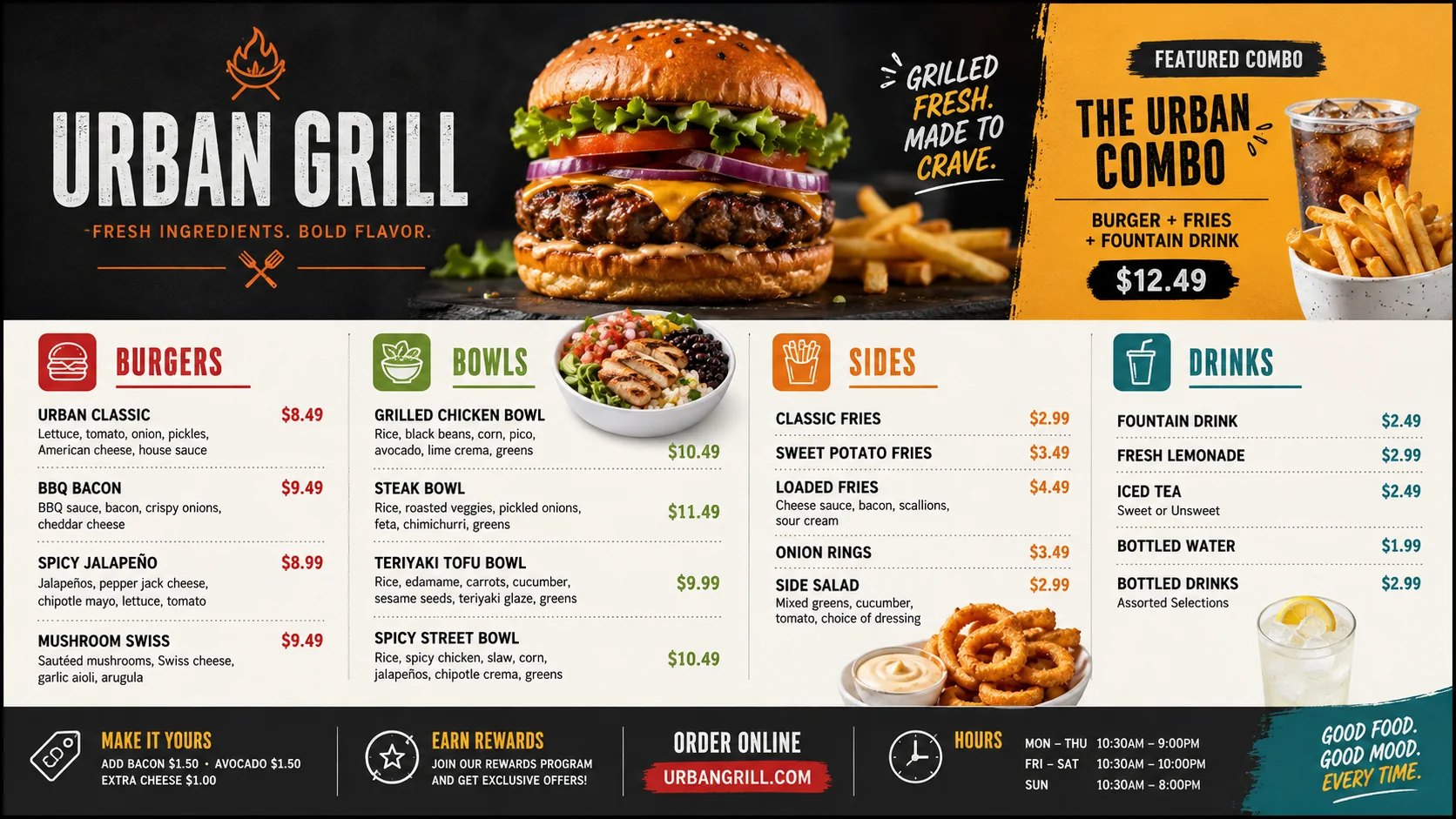
REAL PRODUCT INTERFACE

Finished Urban Grill menu board ready for a television
The output you are buildingCaptured from Canvas Relay
Cloud basedAccess anywhere
Design onceUpdate in real time
Relay everywhereAny screen, any size
Reliable & secureOffline playback built in

The whole job

01

1 · Design the board

Open the free editor and start from a menu template — or photograph your printed menu and let AI import the items and prices for you. Drag things where you want them; the readability checker warns you if text is too small to read from the counter.

02

2 · Connect the TV

Plug a Fire TV Stick, Android TV box, Raspberry Pi, or mini PC into the TV's HDMI port and open the CanvasRelay player. It shows a 6-digit code — type it into your dashboard and the board appears in seconds.

03

3 · Update it from anywhere

Prices, sold-out items, daily specials, seasonal photos — all edited in the dashboard or from your phone. Screens update themselves in under a minute and keep playing even if the internet drops.

What it costs

01

The software

Free for one live screen (watermarked). Paid plans start at $9/screen/month — less than one reprinted menu insert. The price on the pricing page is the whole price; no add-on tiers for basics like video or scheduling.

02

The hardware

Reuse any TV you have. New: a 43″ TV runs about $200 and a Fire Stick $30 — under $250 all-in per screen, once. No proprietary players, no per-screen license hardware lock-in.

Questions, answered

01Can I use the TV I already have?+

Yes. Any TV with an HDMI port works — the player runs on a $30 Fire TV Stick, a Raspberry Pi, a mini PC, or anything with a modern web browser. The TV itself just displays the picture.

02How do I change prices later?+

From your phone, in the parking lot, during service. Menu items live in one table — change a price once and every screen showing it updates in under a minute. Mark an item sold out the same way.

03What if my menu changes between breakfast and lunch?+

Build a scene for each daypart and schedule them — breakfast until 11, lunch after, a 'closed' screen overnight. The TV switches automatically, even if the internet is down.

04Is it really free?+

One live screen is free forever, with a small 'Powered by CanvasRelay' watermark in the corner. No credit card, no trial that expires. Paid plans remove the watermark and start at $9/screen/month.

Step zero takes two minutes — open the editor.

No account needed. Try the real editor with a sample menu board and see what your TV could look like tonight.

Try the editor — no account needed

Free plan includes one live screen. No credit card. No trial clock.