
01
Free-position canvas
Drag, resize, and rotate text, prices, photos, video, shapes, and widgets anywhere. Snap guides and align/distribute tools keep layouts clean without locking you in.
Feature · Visual editor
Most signage tools hand you a grid of locked templates. CanvasRelay gives you a free-position canvas — the same class of editor you'd use for a slide deck — tuned for screens that hang on a wall.
The actual editor
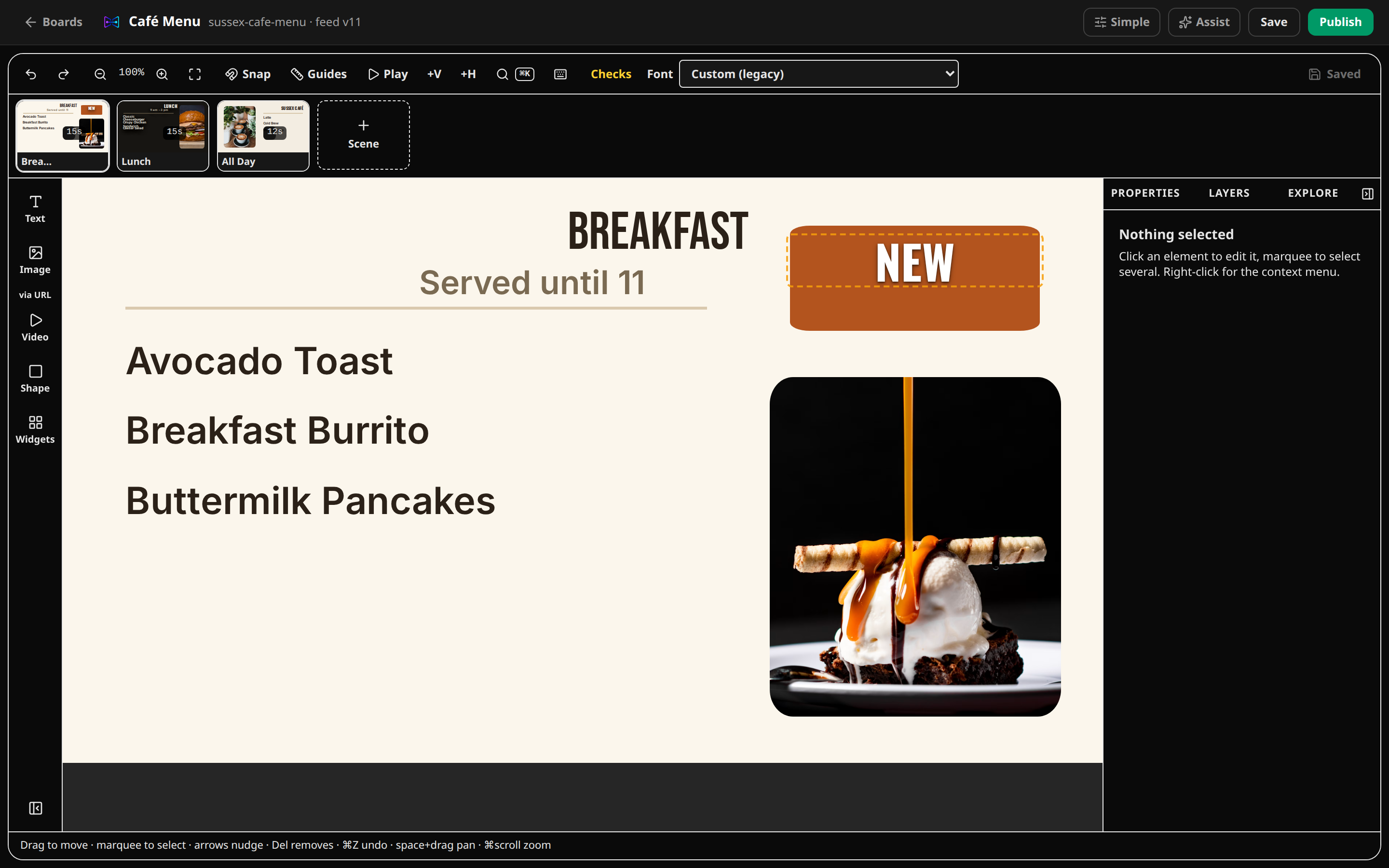
Drag, resize, and rotate text, prices, photos, video, shapes, and widgets anywhere. Snap guides and align/distribute tools keep layouts clean without locking you in.
A proper layers panel, multi-select, and undo/redo that survives saves. Work fast; nothing is one wrong click from gone.
Set the viewing distance and CanvasRelay flags text that's too small or low-contrast for the wall — WCAG contrast math included.
Every element gets a universal frame: fill, border, radius, shadow, padding. One-click presets (Card, Glass, Outline, Pill, Float) plus copy/paste style.
Save any selection as a named block, reuse it in any board, and start new boards from 46 built-in templates covering menus, promos, slideshows, art, welcome screens, schedules, and video.
The Advanced toggle hides the power-user controls until you need them. Simple mode keeps the inspector to the settings most people actually touch.
No. Templates are a starting point, not a cage. Every element — text, prices, images, video, shapes, widgets — is a free-position object you can drag, resize, rotate, and layer anywhere on the canvas.
It checks every text element against your chosen viewing distance (like 10 feet for a counter menu) and flags undersized type and poor color contrast — before customers squint at your TV.
Yes — full undo/redo history, and autosave drafts with publish only when you say so. Nothing reaches a screen until you publish it.
No. Start from one of the 46 built-in templates, use the style presets (Card, Glass, Outline…), and let snap-to-align guides keep things tidy. Advanced controls are there when you want them.
No account, no download. Choose a promotion, photo slideshow, art display, information screen, menu, or blank canvas and edit it in the real CanvasRelay editor.
Try the editor — no account neededFree plan includes one live screen. No credit card. No trial clock.