
01
Scene dayparts
Choose an ordered subset of scenes from one immutable published board by weekday, time, date, priority, and venue timezone. The current cached release can keep evaluating those rules offline.
Product · Scheduling
Build the right morning, afternoon, evening, date-specific or event content in Canvas Relay and schedule when it should appear instead of treating every change like a manual publish emergency.
Actual scheduling controls
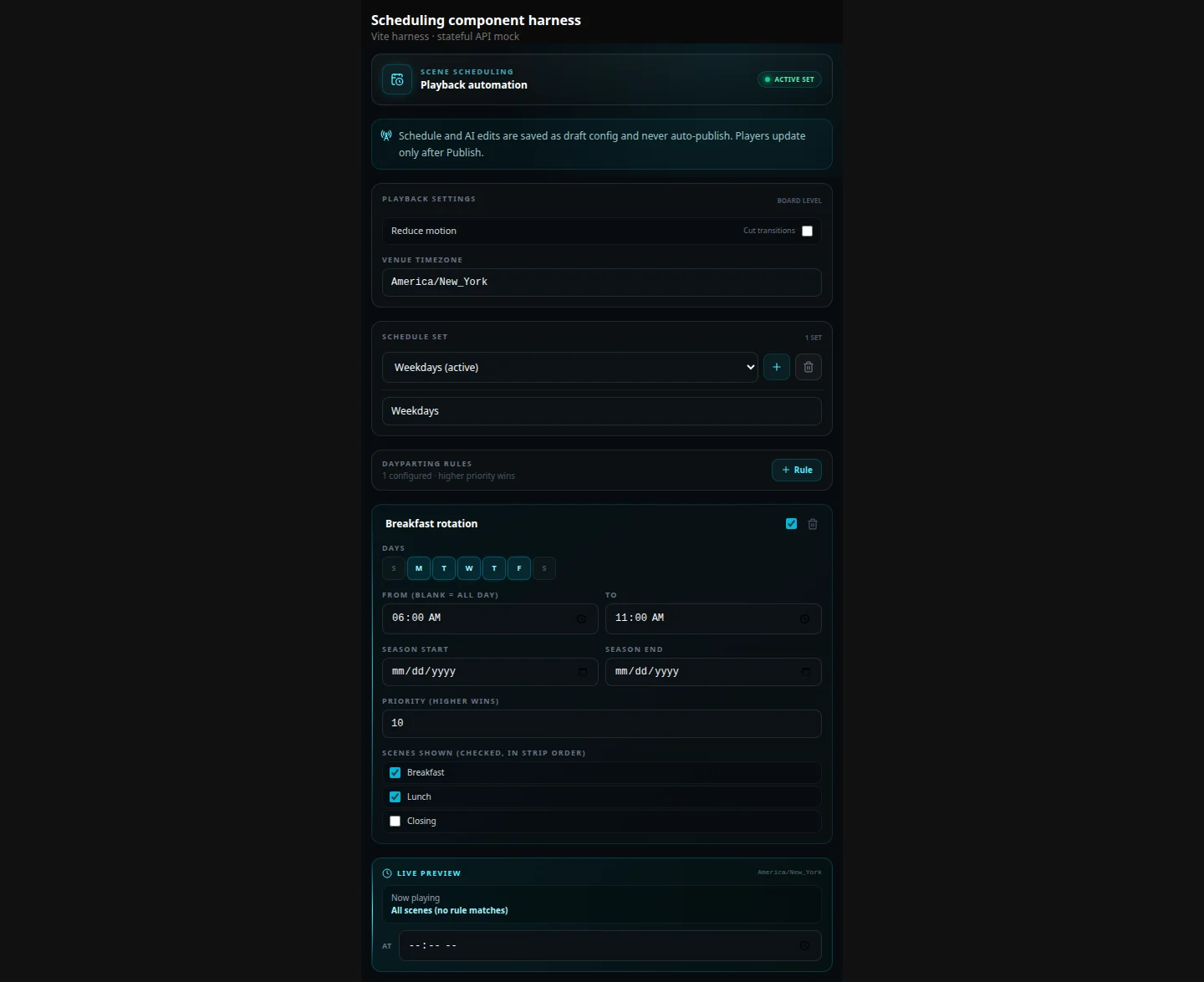
Choose an ordered subset of scenes from one immutable published board by weekday, time, date, priority, and venue timezone. The current cached release can keep evaluating those rules offline.
Temporarily move an individual screen or eligible sync group from its baseline board to another published board, then return to baseline outside the matching window.
Prepare a promotion, event welcome, holiday notice or temporary message ahead of time and give it an inclusive run window.
Browser and Roku players use the same priority, tie-breaking, overnight-window, date, and venue-timezone semantics without flattening scenes into an exported video.
Board swaps are online-required. Missing, unpublished, unauthorized, or incompatible targets preserve the last safe board instead of blanking the player.
The fleet dashboard shows baseline and effective boards, the matching rule, next transition, timezone, pause state, compatibility feedback, and release-pin precedence.
Scene and board schedules choose already-authored Canvas Relay content. Widget and connector refresh remains independent, and a scheduled scene never schedules or mutates an external database. AI and schedule edits also never publish automatically.
Yes. Scene schedules choose which scenes play inside one published board. Board-assignment schedules choose which published board a device or eligible sync group follows. Schedule edits stay in draft until you publish the affected board content.
No. Use it for retail promotions, event welcomes, class schedules, office information, hours, announcements, ambient displays, or menu dayparts.
Scene dayparts in the current cached release can continue offline. Scheduled board swaps are online-required: an offline player keeps its last-known-good board and applies the current assignment after reconnecting. Canvas Relay does not claim that every target board has been prefetched and retained.
No. Schedule selection and widget or connector refresh are separate. Dynamic widgets keep their normal supported refresh behavior, and selecting a scheduled scene does not schedule or mutate an external database.
Open the editor, make the board, and save the repetitive screen changes for a schedule instead of a person.
Try the editor — no account neededFree plan includes one live screen. No credit card. No trial clock.