
01
Linked menu/product records
Bind supported menu/product content and prices so routine data changes can flow through without manually editing every text element.
Product · Linked data & live content
Combine designed scenes with linked menu/product records, clocks, weather, QR, ticker/feed content, slideshows, hours, and supported web/API paths — while keeping the actual capability boundary visible.
Real linked records
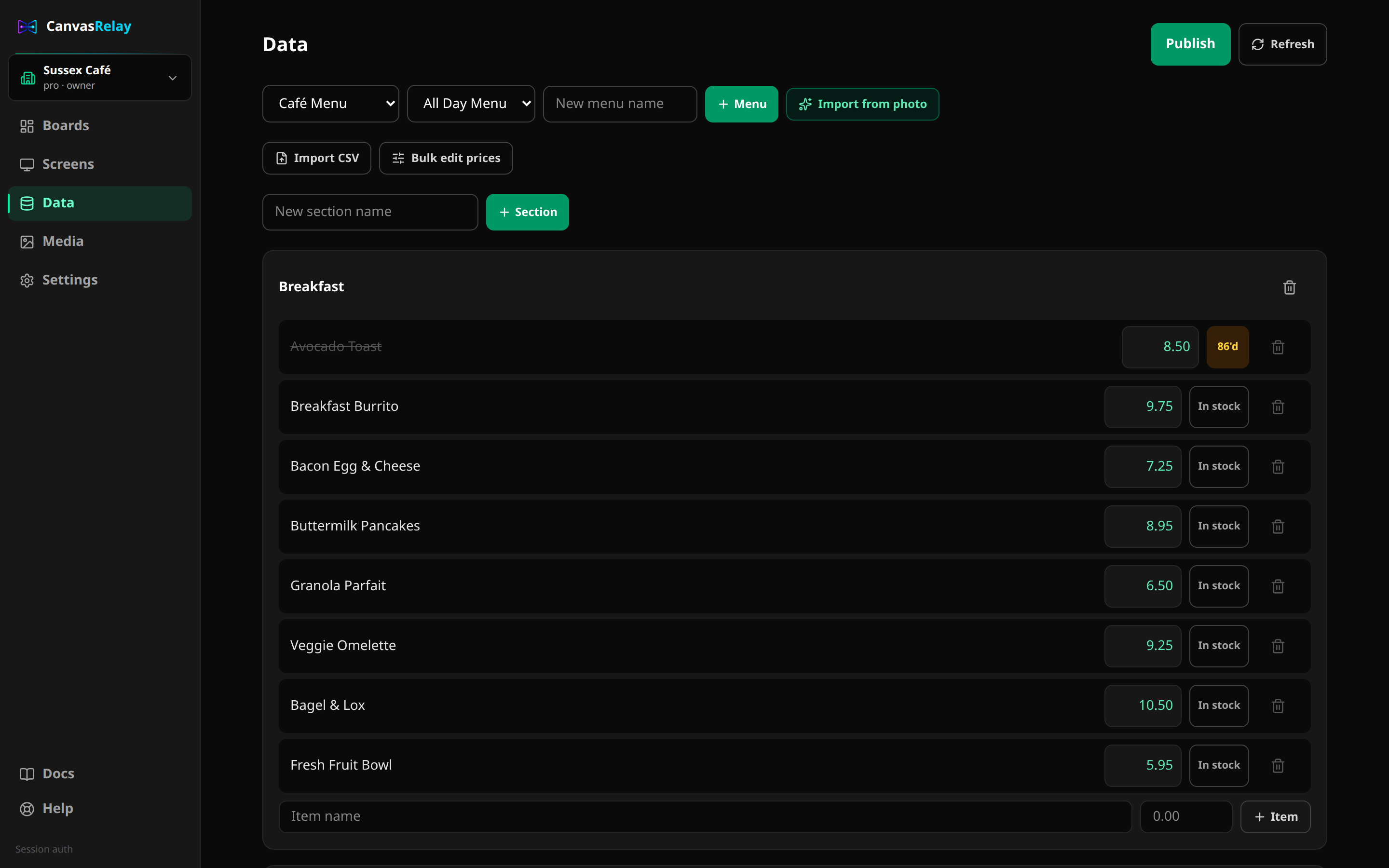
Bind supported menu/product content and prices so routine data changes can flow through without manually editing every text element.
Keep time and operating-hour context current while the rest of the screen remains a deliberately designed composition.
Use the registered weather widget where the player supports it and the location/context makes live conditions useful.
Bring supported feed-style information into a controlled region instead of making the whole TV a browser page.
Pair on-screen information with a scannable action that can coexist with the rest of the visual hierarchy.
Pro-level automation paths can integrate Canvas Relay publishing/device events without turning undocumented integrations into marketing promises.
Browser/Pi has the widest web-runtime fidelity. Roku has a separate native rendering boundary, so unsupported web-only elements should be surfaced before assignment rather than discovered on the TV.
No. Canvas Relay supports defined linked menu/product data plus its registered widget, feed, web, API, and webhook paths. This page deliberately does not market arbitrary database binding.
The current product includes registered widgets such as clock, weather, ticker/RSS-style content, QR, slideshow, hours, and menu/product display patterns, with platform-specific rendering differences where applicable.
The board/release can remain cached and playing offline. Data that truly depends on an external source can become stale or unavailable until connectivity returns, so player/content design should account for that distinction.
Try the editor and build a screen that still works as a design even when a live source is temporarily unavailable.
Try the editor — no account neededFree plan includes one live screen. No credit card. No trial clock.