
01
The main menu board
Your full menu, designed on a free-position canvas — not squeezed into someone else's template. Prices bind to one data table, so a change updates every screen and every scene that shows the item.
Solutions · Restaurants
86 an item from the pass, change a price from the office, flip breakfast to lunch without touching a ladder. CanvasRelay runs restaurant menu boards on any TV — and the free plan covers your first screen.
A complete counter menu
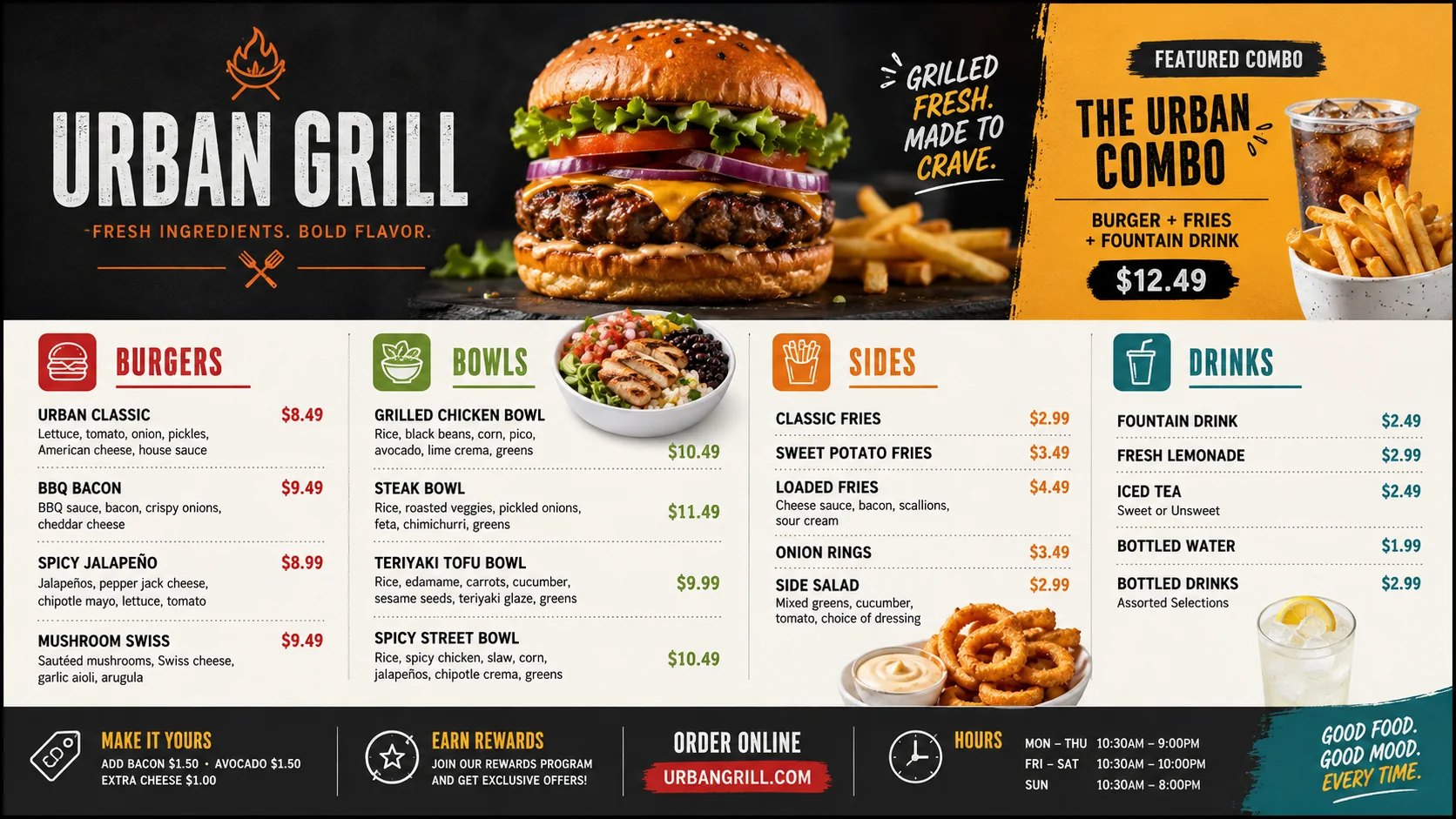
Your full menu, designed on a free-position canvas — not squeezed into someone else's template. Prices bind to one data table, so a change updates every screen and every scene that shows the item.
Mark an item sold out from your phone and the board strikes, dims, or hides it everywhere — your choice, per board. No more 'sorry, we're out' conversations the menu could have prevented.
Breakfast, lunch, dinner, late-night: build each scene once and schedule it. TVs switch on time automatically — including offline, because the schedule lives on the player.
A rotating specials scene, a countdown to your event night, a photo slideshow of the dishes you want to move. Drop a QR code for your online ordering next to the total.
Photograph the printed menu you already have and AI extracts sections, items, and prices into editable records — you review every row, then lay it onto a template automatically.
One organization, every location's screens. Corporate publishes the new price list once; each store's TVs follow their boards, and you can see which screens updated from the dashboard.
One venue day
Scenes switch using the venue timezone and travel with the cached release, so the daypart logic keeps working offline.
Scheduling details →Free tool: photograph your printed menu and preview it as a board — no account needed.
Read more →Jungle Jim's: 3 boards, 33+ linked items, sub-minute price changes on Raspberry Pis.
Read more →The three-step guide — design, connect a $30 stick, update from your phone.
Read more →Start from a designed layout and make it yours in minutes.
Read more →Anyone you invite — with roles. Give a manager menu-edit rights without publish rights, or let a shift lead toggle sold-out items and nothing else. Every change is audit-logged with who made it.
Any TV plus a $30 Fire TV Stick, an Android TV box, a Raspberry Pi, or a mini PC. No proprietary player boxes. If your TVs are already mounted, you're buying sticks, not screens.
Nothing visible. Players cache the full menu board on the device — images, fonts, prices — and keep playing indefinitely. Changes queue up and apply when the connection returns.
CanvasRelay keeps its own linked menu data (import by photo, paste, or CSV). Direct POS sync is on the roadmap; CSV import covers the 'my POS exports a spreadsheet' case today.
Sign up free, import a photo of your menu, and you'll have a designed, editable board before the dinner rush.
Try the editor — no account neededFree plan includes one live screen. No credit card. No trial clock.