
01
Clock
Digital or analog, any time zone, 12/24-hour. Renders fully offline — it never needs the network.
Feature · Widgets
Drop a clock, live weather, a QR code, or your actual menu or product list onto any board. Widgets are first-class canvas elements — position them anywhere, style them like everything else, and they keep working when the internet doesn't.
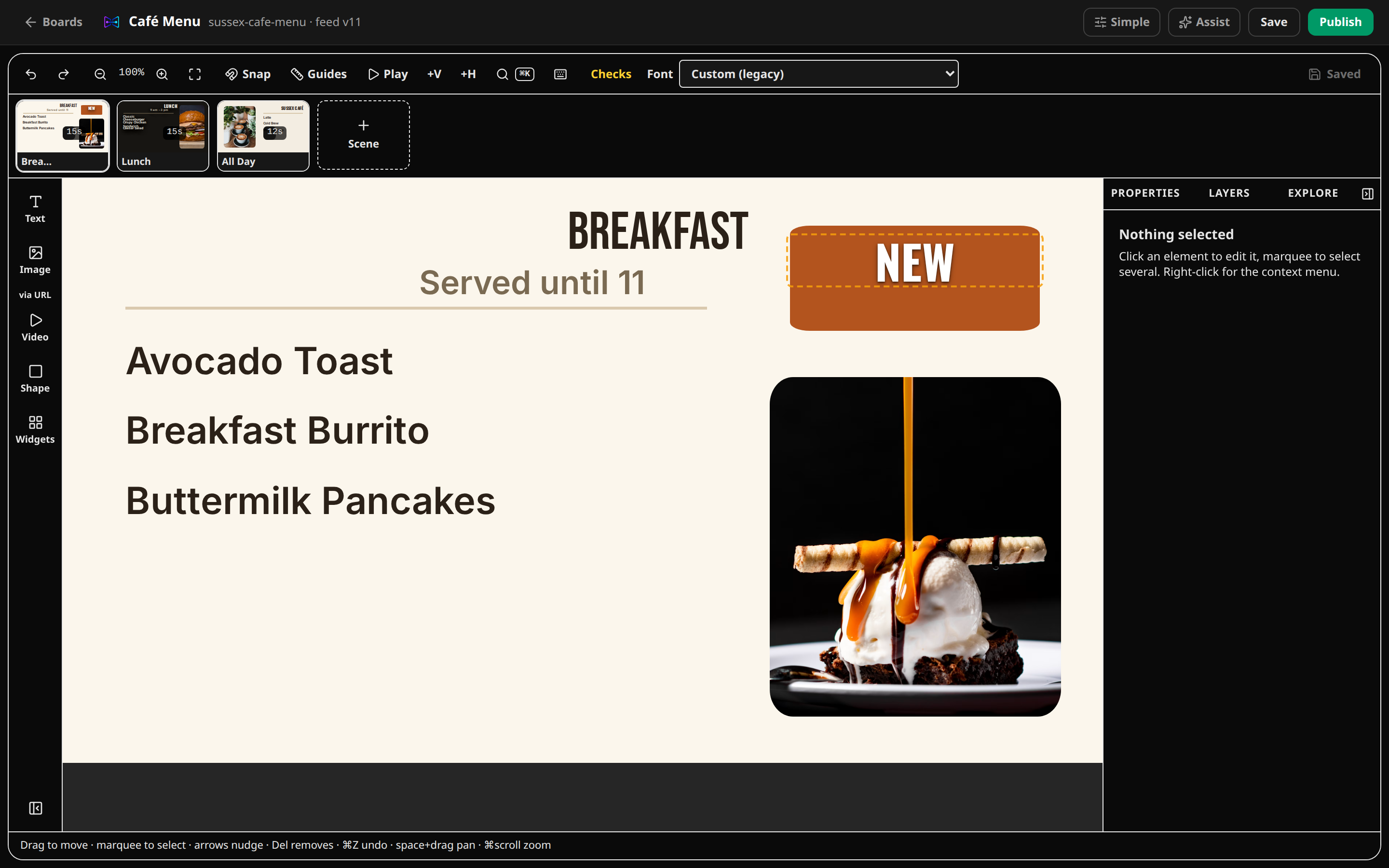
Widgets inside the real editor
Digital or analog, any time zone, 12/24-hour. Renders fully offline — it never needs the network.
Current conditions and temperature for your location, cached server-side so screens degrade to last-known data offline. Powered by MET Norway (CC BY 4.0).
A scrolling marquee from a list you type or any RSS feed. Specials, announcements, headlines — updated without touching the layout.
Point customers at your ordering page, Wi-Fi, or review link. Generated on-device, works offline, sized to scan from across the room.
Pick multiple photos from your media library; crossfade between them on a schedule. Food shots, promos, seasonal art.
“Opens in 2 days”, event countdowns, seasonal launches. Flip the date once; every screen counts down together.
Binds to your linked menu data — sections, items, prices, sold-out states — and restyles itself when the data changes. The heart of a menu or price board.
Show today's hours with a live open/closed indicator. Set the schedule once.
Info, warning, or emergency severity levels. Push a closure or alert to every screen, or one board, with an optional expiry.
Embed a web page in a sandboxed iframe. Online-only, clearly labeled, for dashboards and live data you already have.
Loop a video on your board. Labeled online-only with a performance note for Raspberry Pi players.
The same widget definition drives the editor settings panel, the player renderer, and the offline policy — so what you preview is what plays.
Clock, QR code, menu/product list, and business hours work on the free plan. Countdown, slideshow, and announcement banner are on Creator; weather, ticker, web embed, and YouTube are on Pro. Locked widgets are always visible in the catalog with a lock badge — never hidden.
Each widget declares an offline policy. Clocks, QR codes, and menu lists render fully offline. Weather and ticker fall back to the last cached data; online-only widgets (web embed, YouTube) hide cleanly instead of breaking your layout.
No. Third-party data (weather, RSS) is fetched server-side by CanvasRelay, cached, and served to your players from our API. Your screens never talk to outside services and never need API keys.
Every widget has a settings panel generated from its config schema — colors, sizes, time zones, units, content sources — and inherits the same frames and presets as any other element.
Open the editor right now — no account, no download. If you like what you make, save it with a free account.
Try the editor — no account neededFree plan includes one live screen. No credit card. No trial clock.